Your USS Partnershop allows you to produce orders for your customers yourself. To make the necessary settings, switch to the menu Settings / Place of Production in the Partnershop backend. [1]
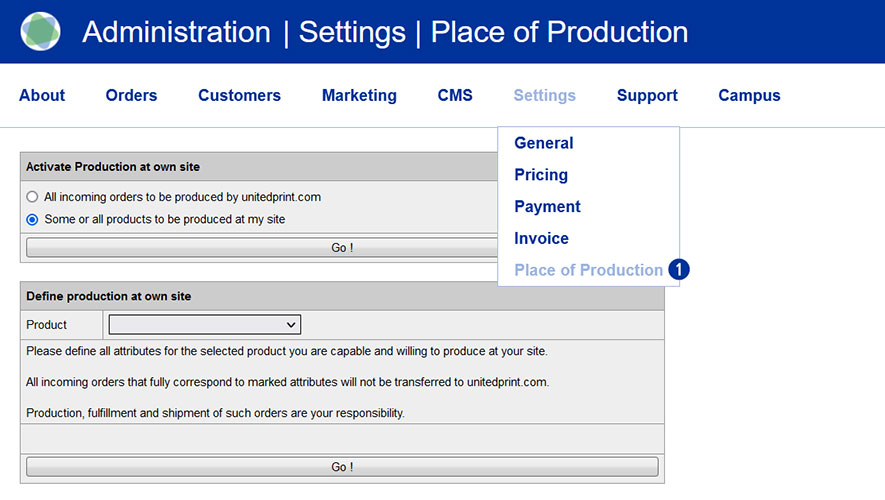
First, activate the radio button „Some or all products to be produced at my side“. [2] Now select the product for which you want to make the settings. [3] Then indicate your production capabilities: Select the product options you are able to provide (e.g. a certain kind of paper or finishing). [4] Confirm your settings by clicking the button “Go!”. [5]
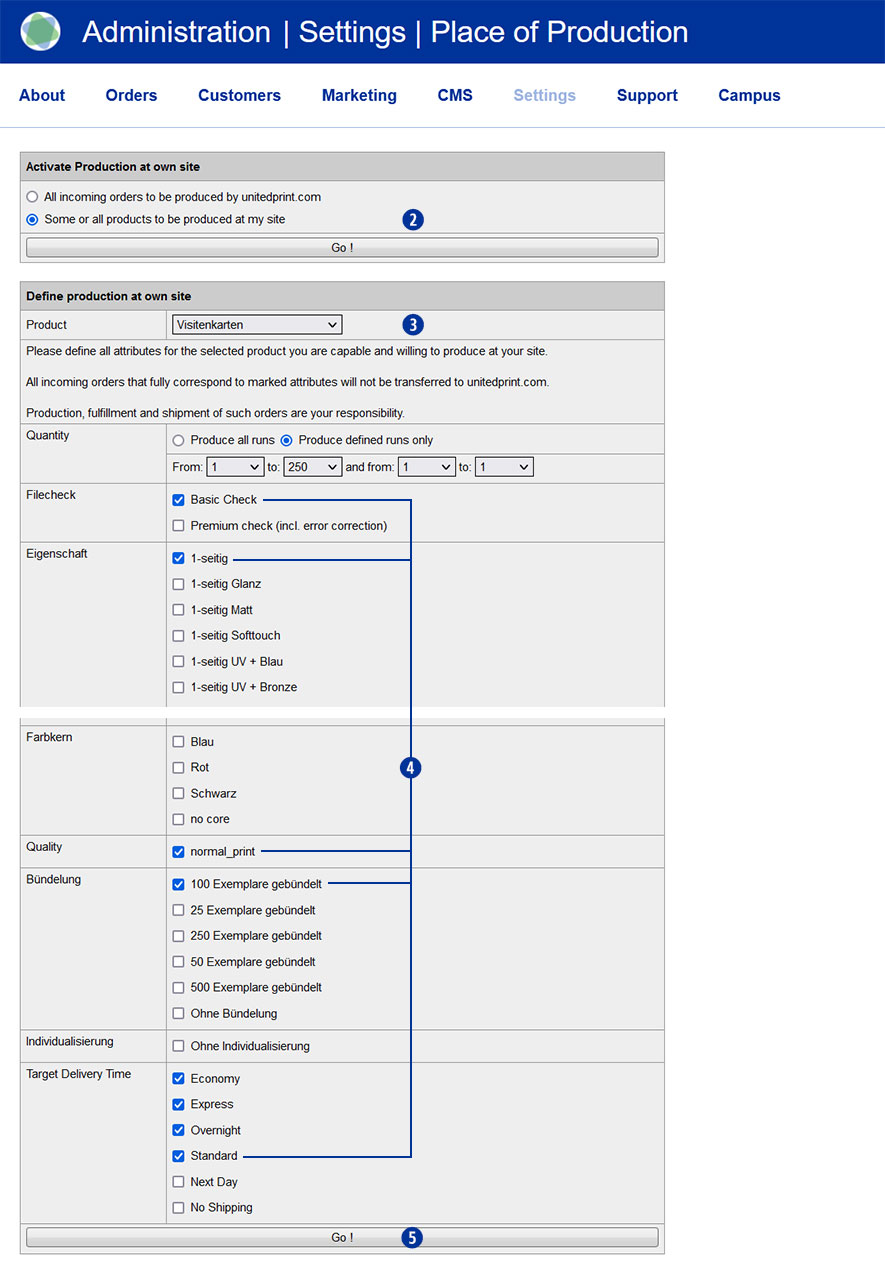
Only when an order item fully fits your individual settings, the order will be classified as an order for your own production.
Attention
Please consider that for every product attribute, at least one option needs to be selected (even when it’s not displayed in the shop frontend) – otherwise, an order item of this product will never be defined as one for your production.
All product options are offered to their customers no matter where they are produced.
Please follow these steps:
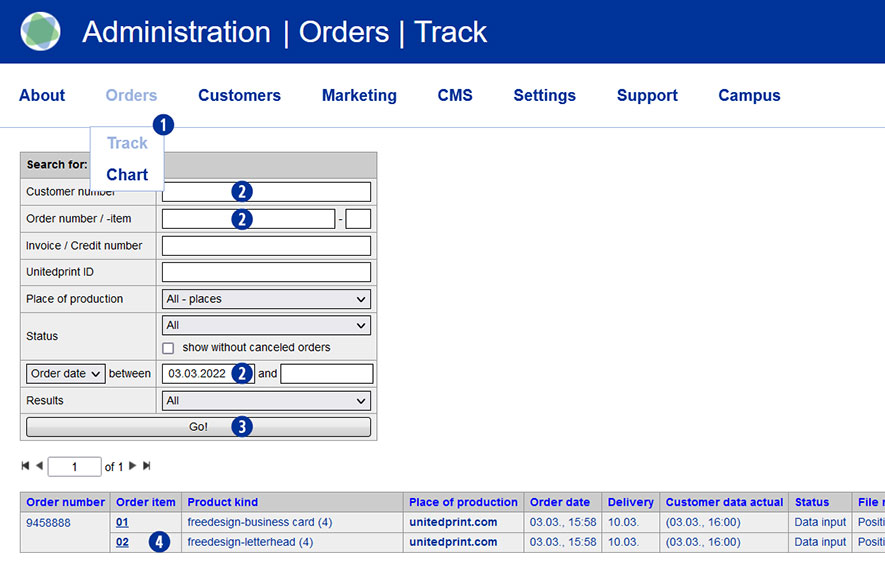
- Switch to the Partnershop backend in the menu under Orders / Track [1] and select the desired order.
- To do this, enter a search criterion [2] and confirm this with the button”Go!”. [3]
- Click on the order item in the column “Order item” [4] that is to be cancelled.
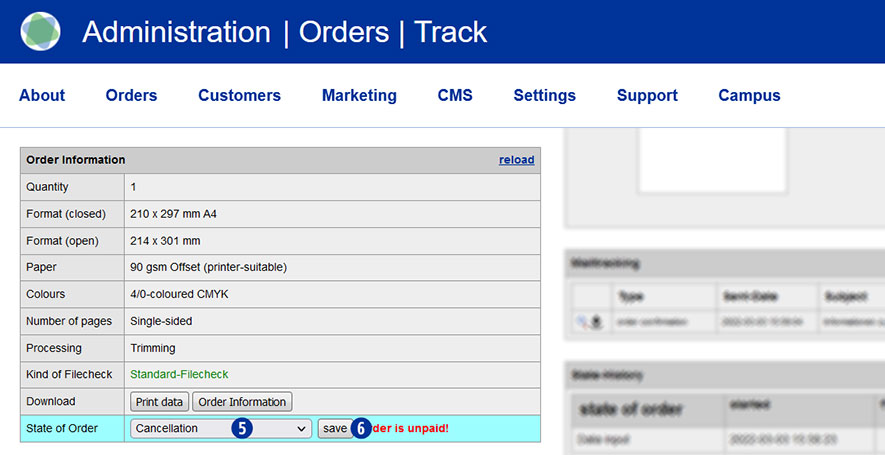
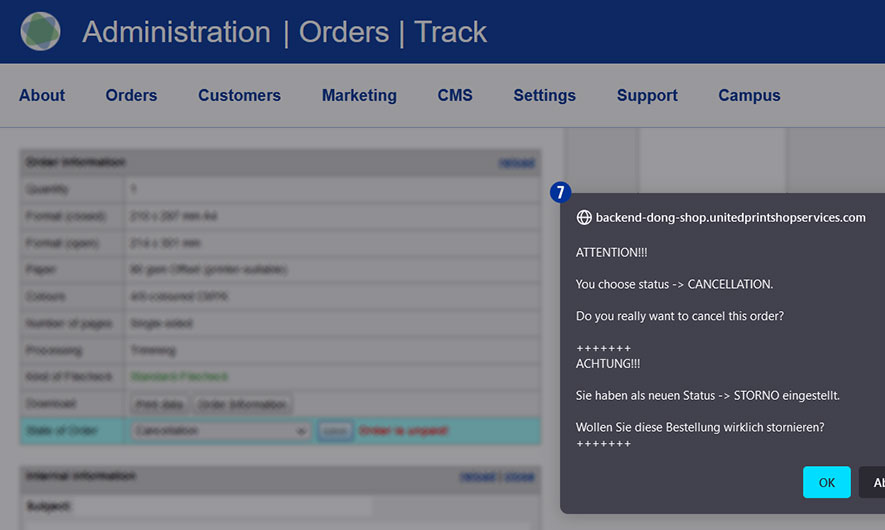
- Within the detail view in the module “Order information” / “State of order”, select “Cancellation” from the dropdown list. [5]
- Confirm your selection with the button “Save”. [6] The following notification message is displayed. [7]
- Have the (partial) chargeback of the payment to your customer.
Note
If an invoice already exists for the order you canceled, you must create a separate cancellation invoice for the purchase order or purchase order item and send it to the customer. The details can be found in the section “How do I create a cancellation invoice?“.
In this case, you can accept or reject complaints claims from your customers – without consulting Unitedprint.
Follow these two steps:
- Give your customer a new, reduced invoice.
(Partnershop Backend – menu Orders / Track – select order)
- Transfer the difference back to your customers.
If you are complaining about self-produced articles, please consider that the calculation basis for commissions charged to you remains the original selling price.