Please follow these steps:
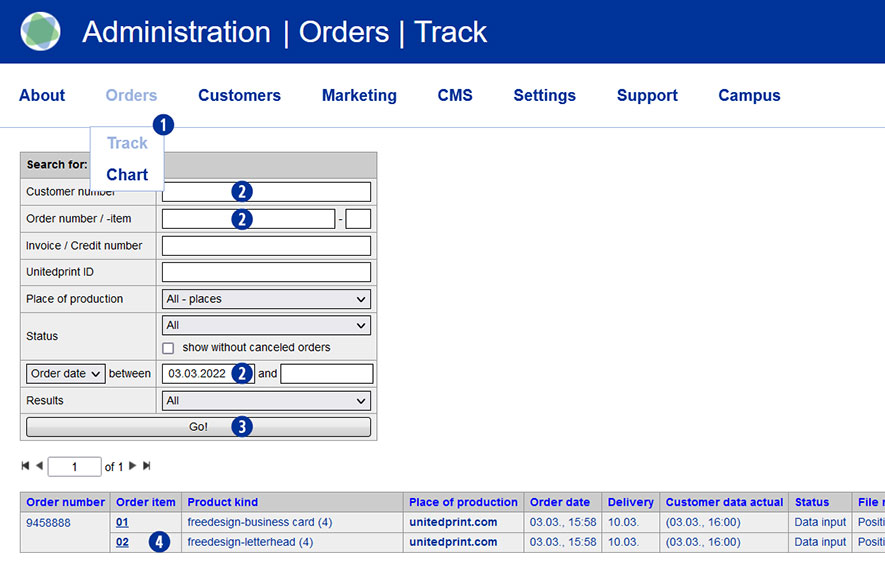
- Switch to the Partnershop backend in the menu under Orders / Track [1] and select the desired order.
- To do this, enter a search criterion [2] and confirm this with the button”Go!”. [3]
- Click on the order item in the column “Order item” [4] that is to be cancelled.
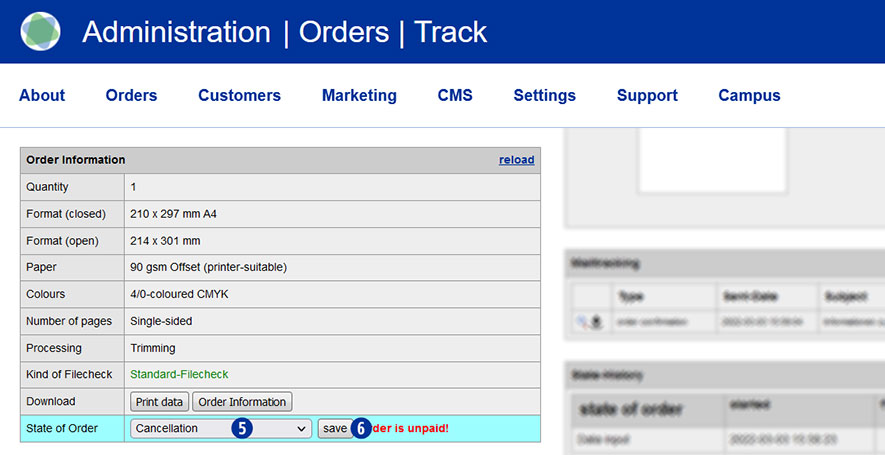
- Within the detail view in the module “Order information” / “State of order”, select “Cancellation” from the dropdown list. [5]
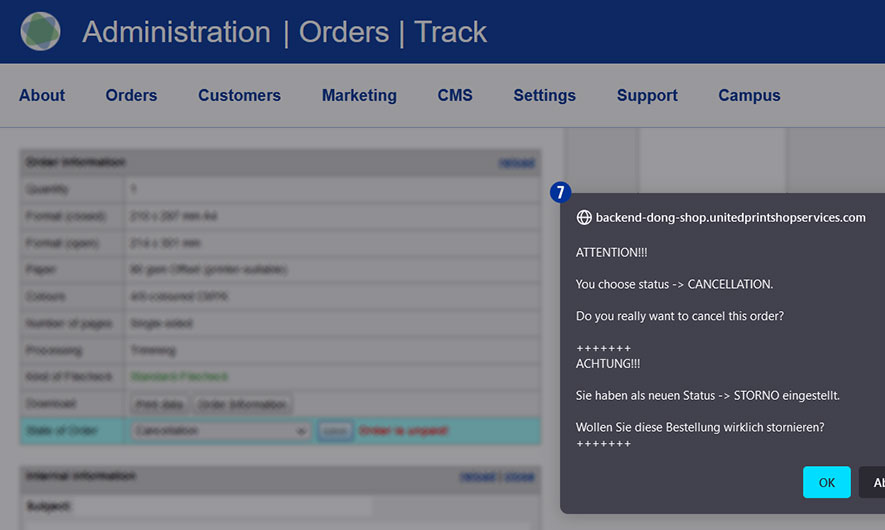
- Confirm your selection with the button “Save”. [6] The following notification message is displayed. [7]
- Have the (partial) chargeback of the payment to your customer.
Note
If an invoice already exists for the order you canceled, you must create a separate cancellation invoice for the purchase order or purchase order item and send it to the customer. The details can be found in the section “How do I create a cancellation invoice?“.
Category:
Production