If you only have the corresponding Easyprint order number for a partner shop order, you can find out the corresponding partner shop order via your Partnershop backend.
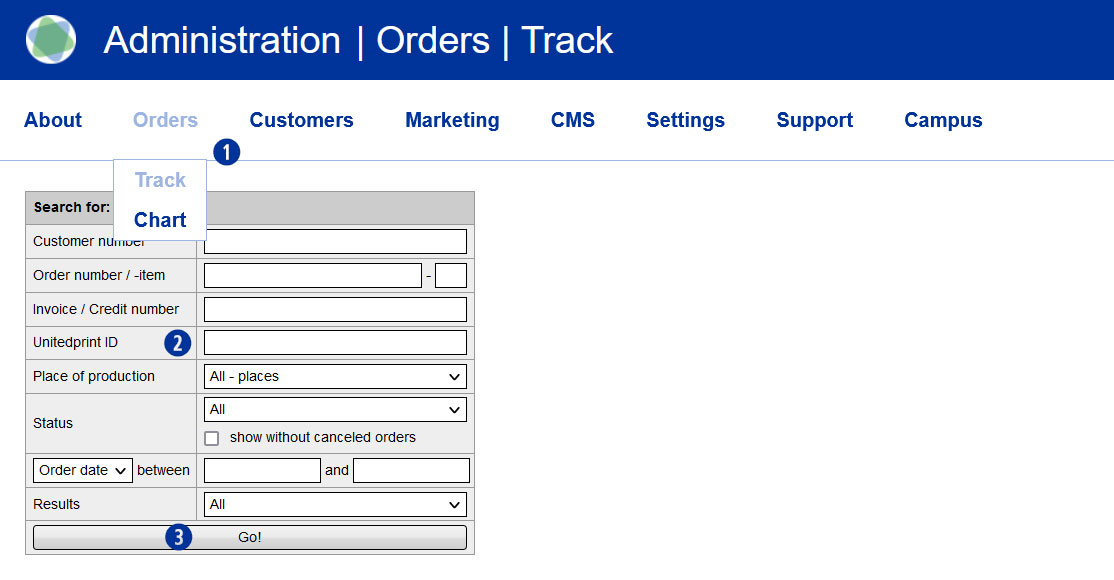
To do this, switch to the Partnershop backend and continue via Orders / Track. [1] In the input field “Unitedprint ID”, enter the Easyprint order number available to you [2] and confirm your entry by clicking the button “Go!” [3]
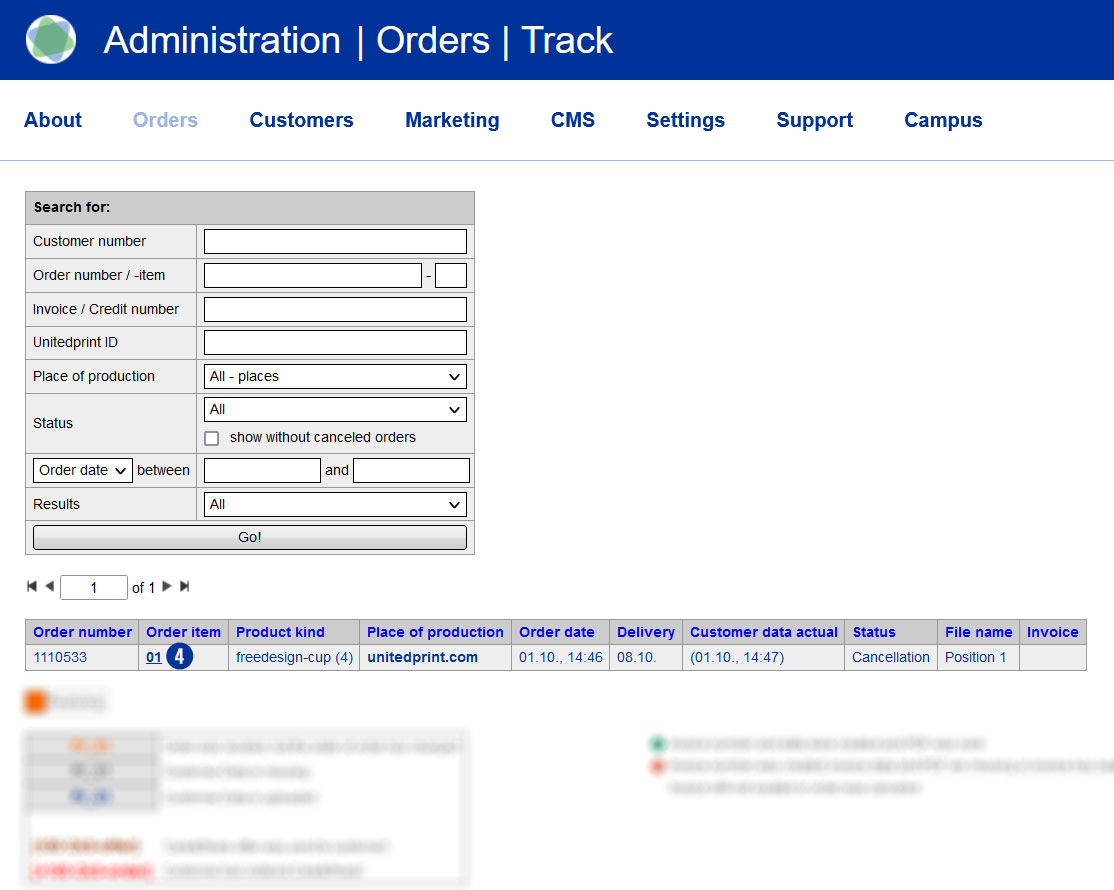
The desired Partnershop order is displayed as a result. For a detailed view of the order, click on the link (s) in the “Order item” column. [4]
Category:
Finance