The invoice template is similiar to your company’s official letterhead. Dynamic invoice information (such as the item list, prices, VAT, customers’ address) will automatically be added to the document, which will then be sent to your customers.
Upload the invoice template in PDF format into your Partnershop backend. For doing so, go to the backend section Settings / Invoice [1], further to the module “Invoice Template” [2] and click the button “Browse” [4] and select the previously prepared invoice template. Confirm the upload by clicking the button “GO!” [5]
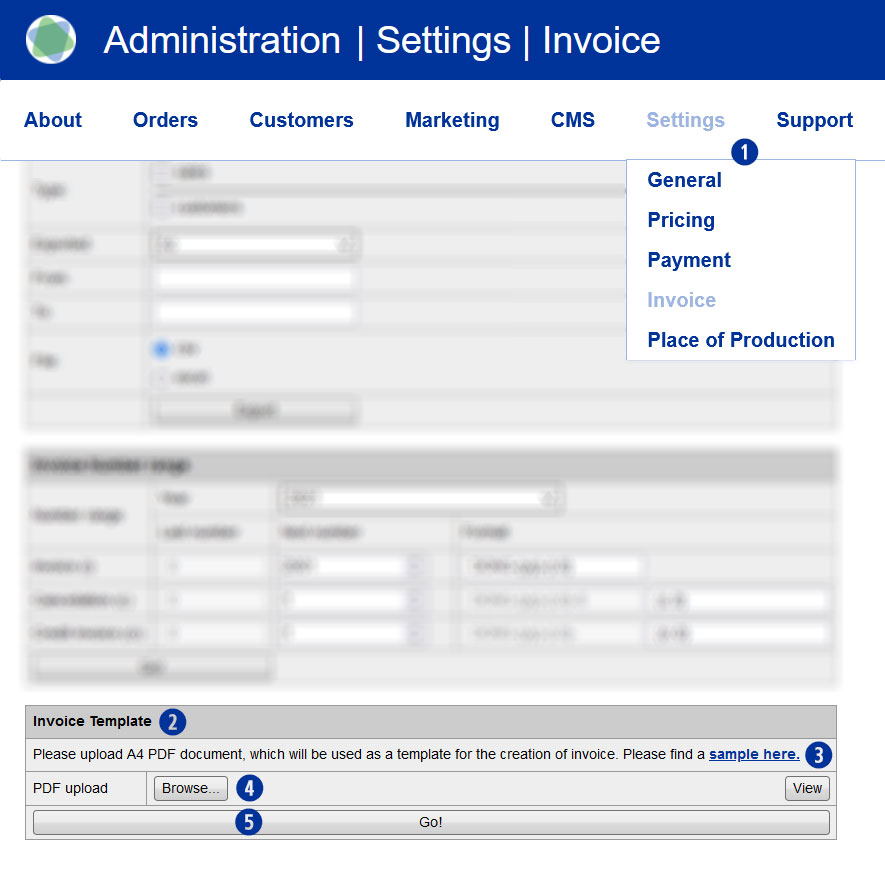
This document then serves as a template for your invoices. An example of how such an invoice template is structured is available for using the download link “sample here” [3].
Category:
Finance