The PayPal payment processing does not take place via the Payment Service Provider Worldline | Six Payment Services but directly between you and PayPal.
For you as a Partnershop operator, a PayPal business account is required.
To use the “PayPal” payment method within your partner shop, it is necessary to enter the data from the PayPal business account in the partner shop backend – Payment > Indicate your PayPal business account.
To do this, follow the steps below.
- Sign in to your PayPal account. [1]
Use the URL https://www.paypal.com/mep/dashboard or go directly to the developer settings via https://developer.paypal.com/developer/applications/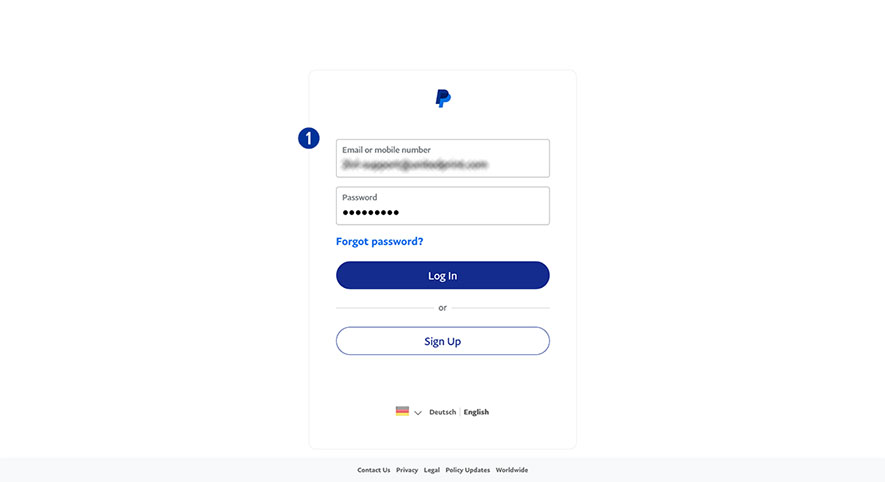
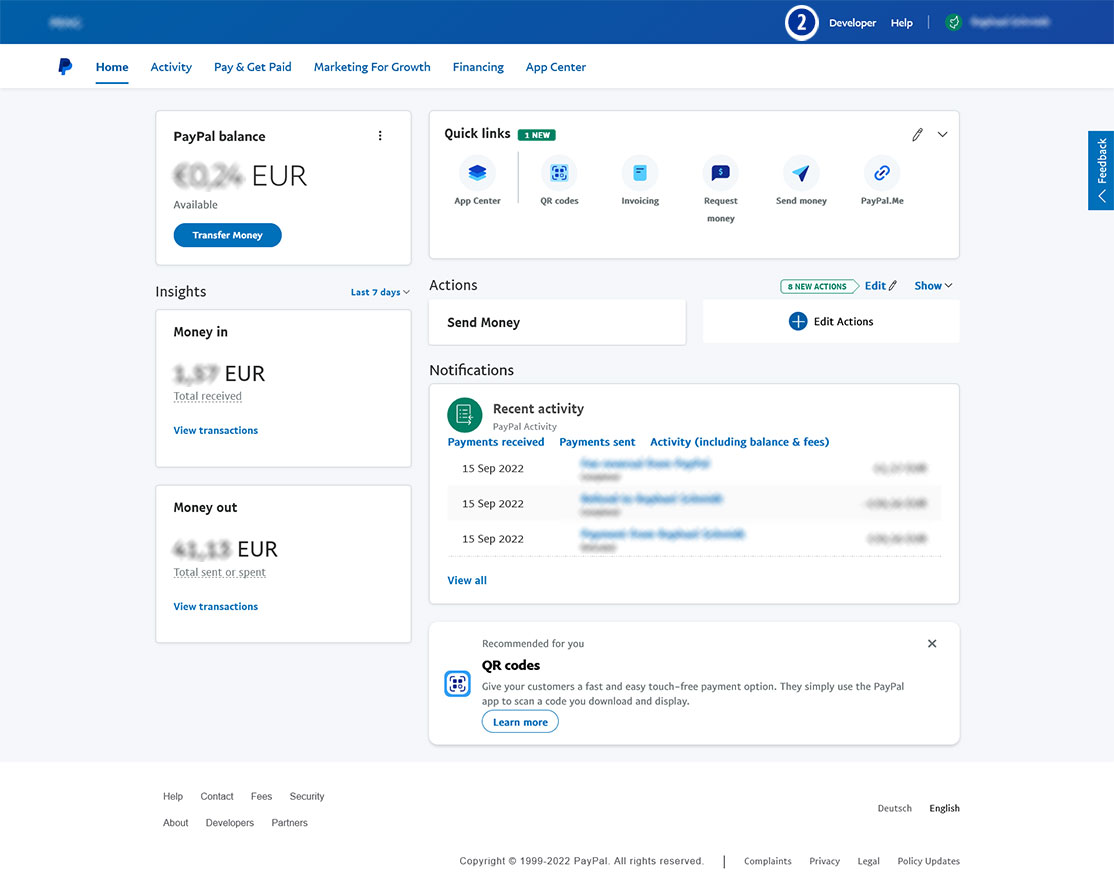
- Click the link “Developer” in the main navigation. [2]
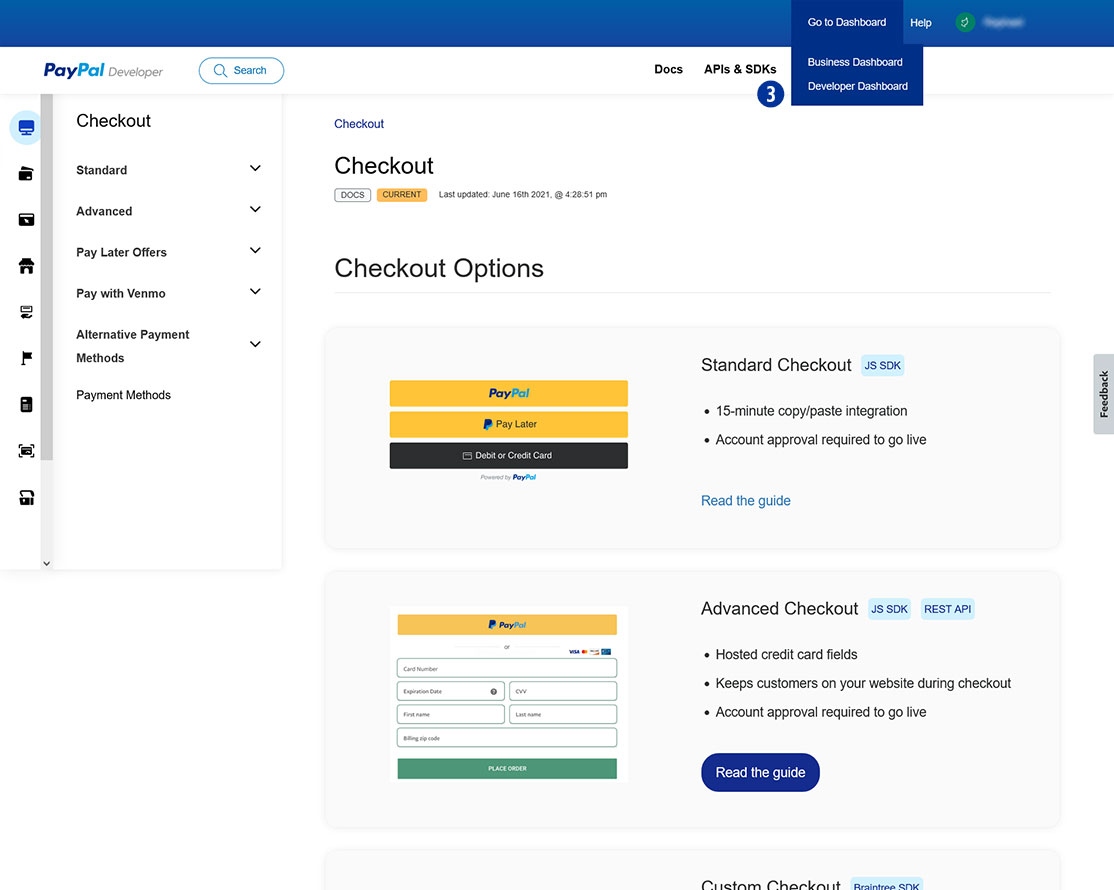
- Click “Go to Dashboard > Developer Dashboard” in the main navigation. [3]
- Select “Dashboard > My Apps & Credentials”. [4]
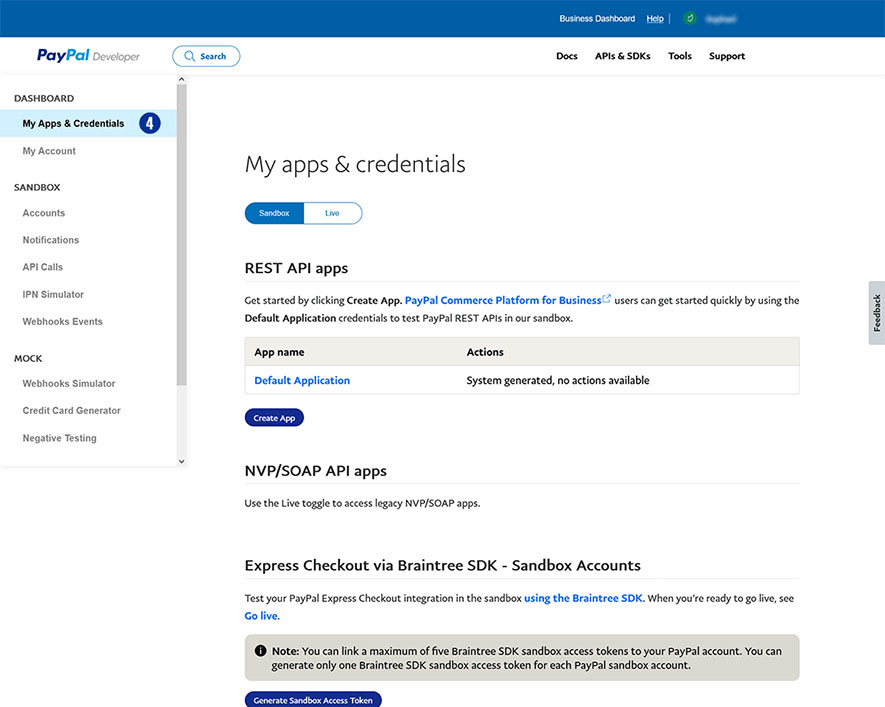
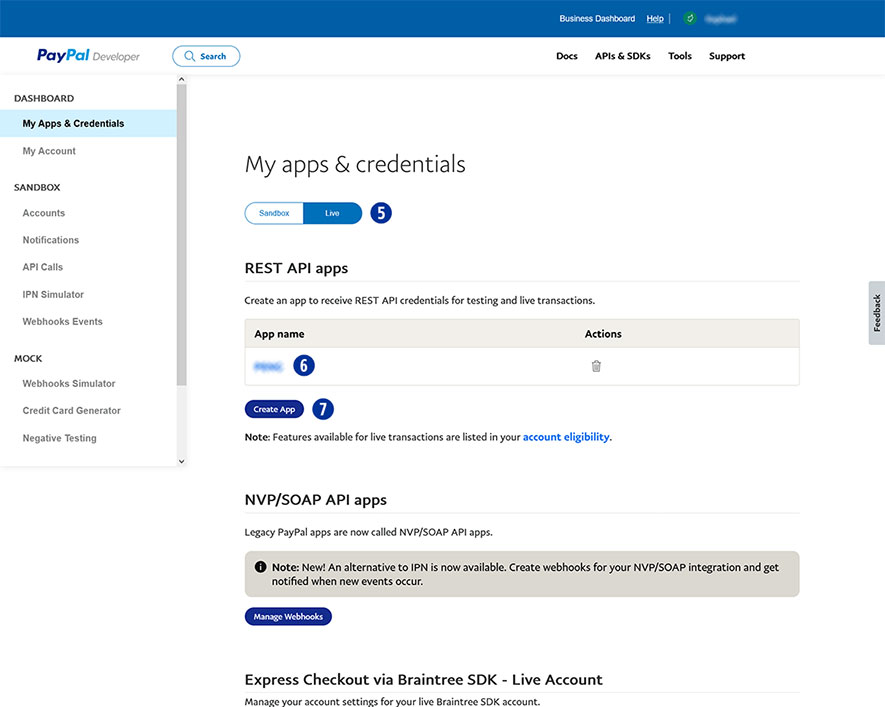
- Click the button “Live”. [5]
- Choose your shop name at “App name”. [6]
If there is no shop name yet, click “Create App” and assign an app for your Partnershop (e.g. brand name). [7]
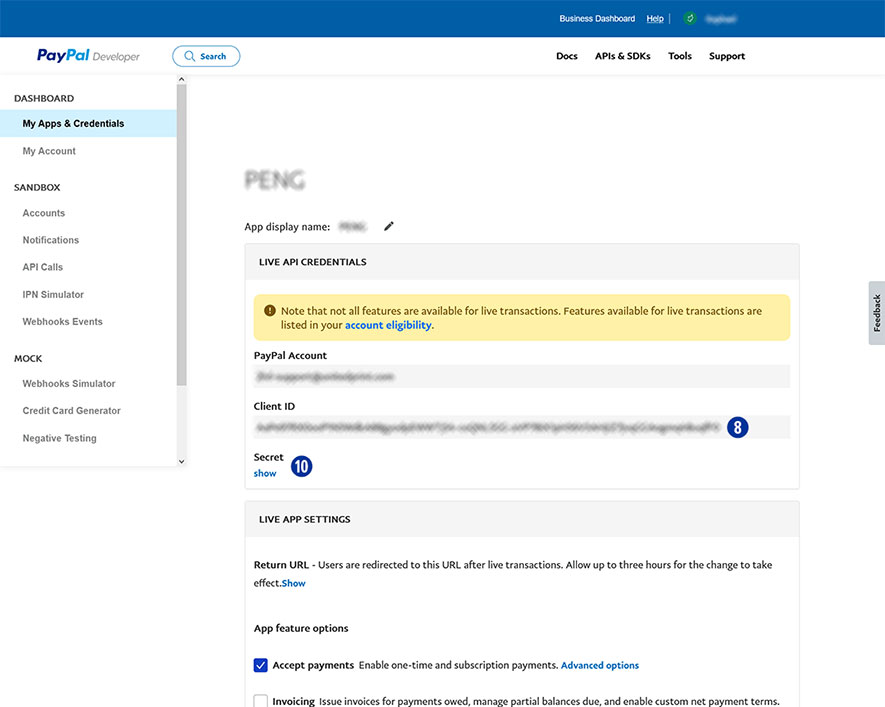
- Copy the “Client ID” [8] and paste it in the Partnershop Backend – Payment > Indicate your PayPal business account. [9]
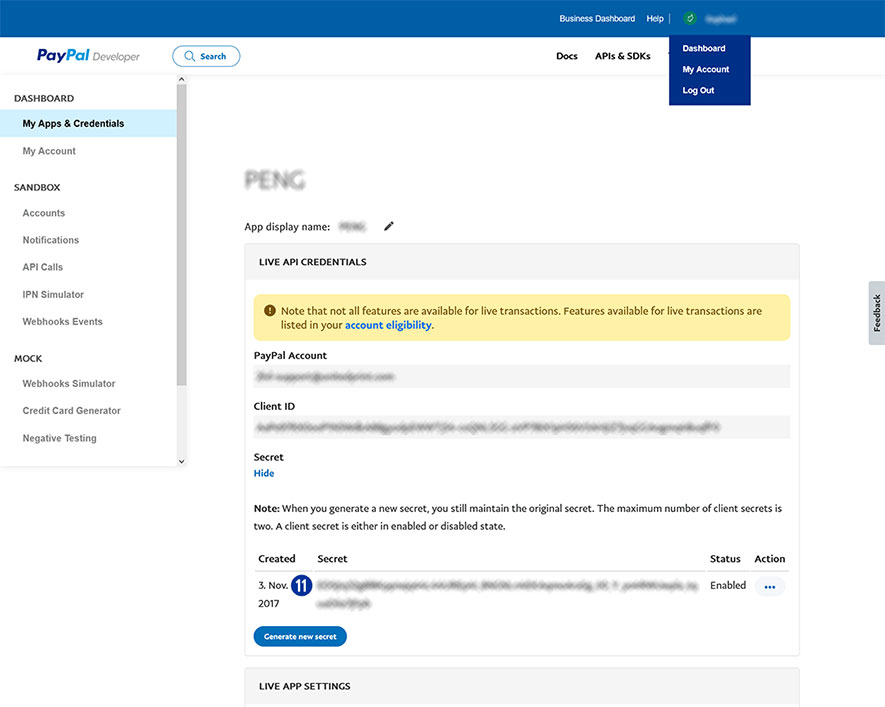
- In the PayPal account under “Secret” click the link “show” [10] to display the secret key.
- Copy “Secret” [11] and paste it in the Partnershop Backend – Payment > Indicate your PayPal business account. [9]
- Confirm your entries by clicking the “Go!” button. [12]
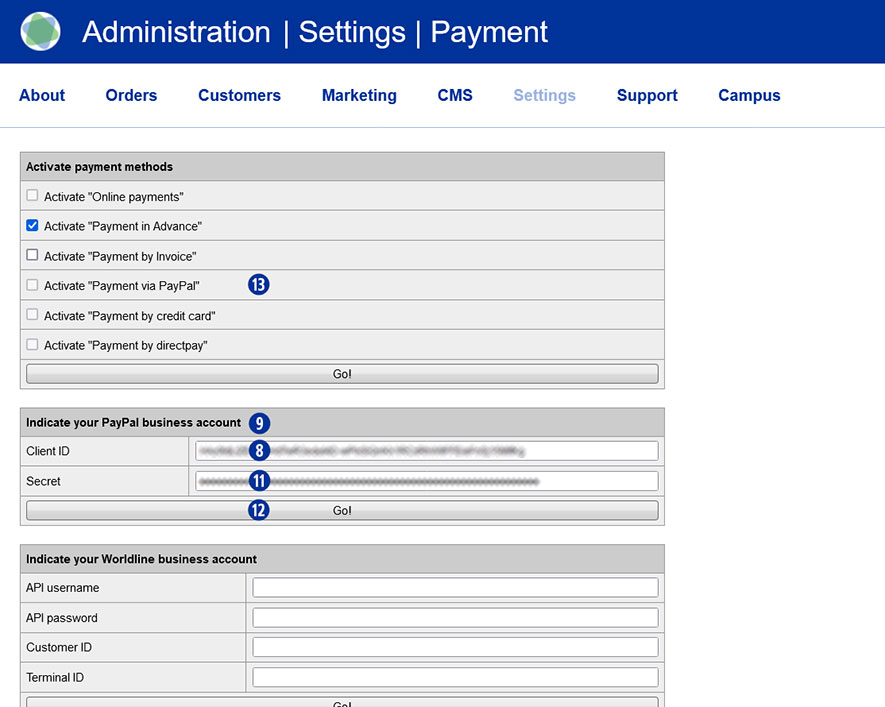
Finally, activate the payment method PayPal in the Partnershop Backend – Payment > Activate “Payment via PayPal” for all customers. [13]
Category:
Finance