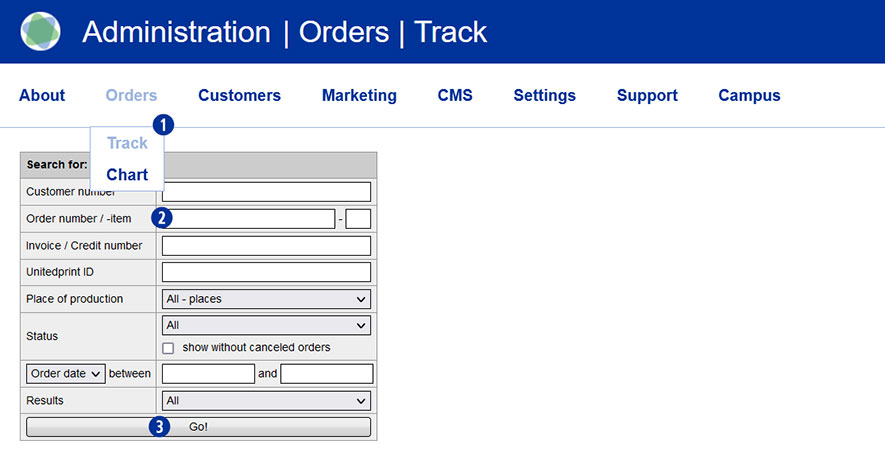
To do this, switch to the Partnershop backend and select Orders / Track in the menu. [1] Enter the desired order number in the field “Order number / -item” [2]. Confirm the search by clicking the button “Go!”. [3]
Note
Search requests for orders that have already been completed must be indicated by specifying the order number or the customer number. A general search for all orders is not possible for technical reasons. If you are looking for the customer number, the search result includes both – current and completed orders.
Category:
Production